

Utilice el protocolo MQTT para transferir datos a AWS IoT.#
Registre su dispositivo en la página de AWS IoT para obtener el certificado de cliente y la clave privada.#
Haz clic en Cosas para entrar en la página.
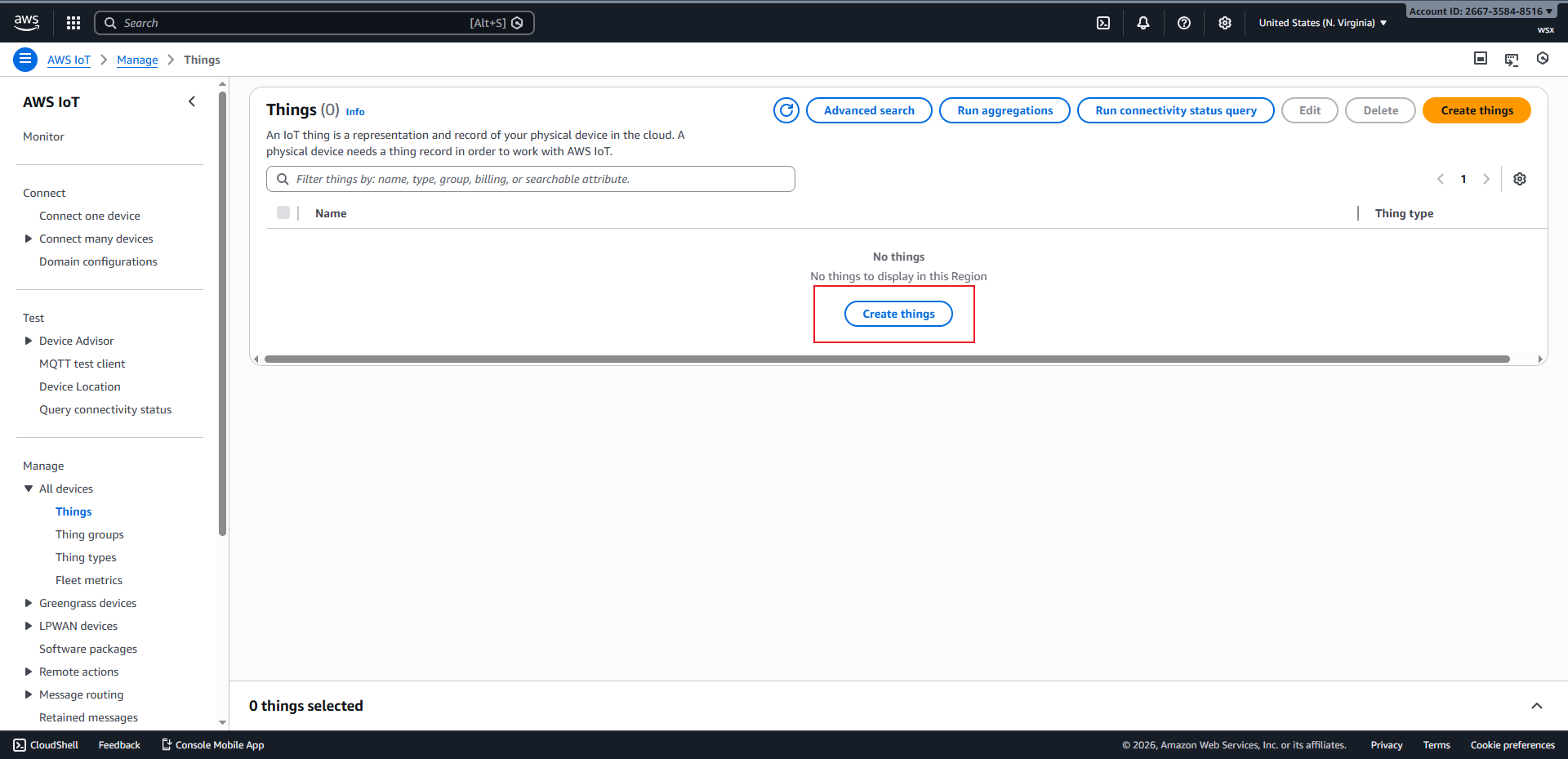
Haz clic en
Crear elementospara ir a la página de creación.
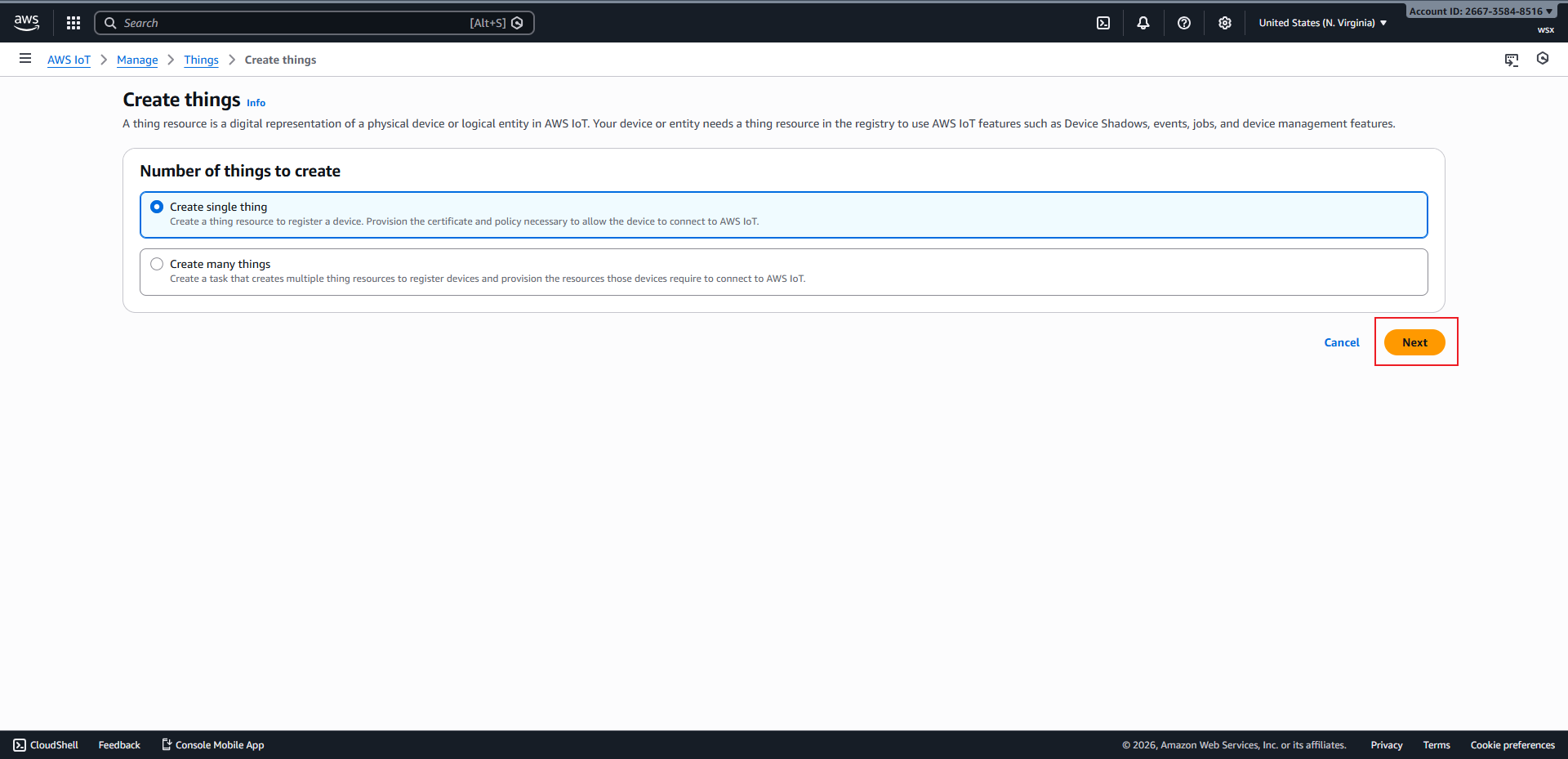
Haz clic en
Siguientepara ir a Especificar propiedades de elementos.
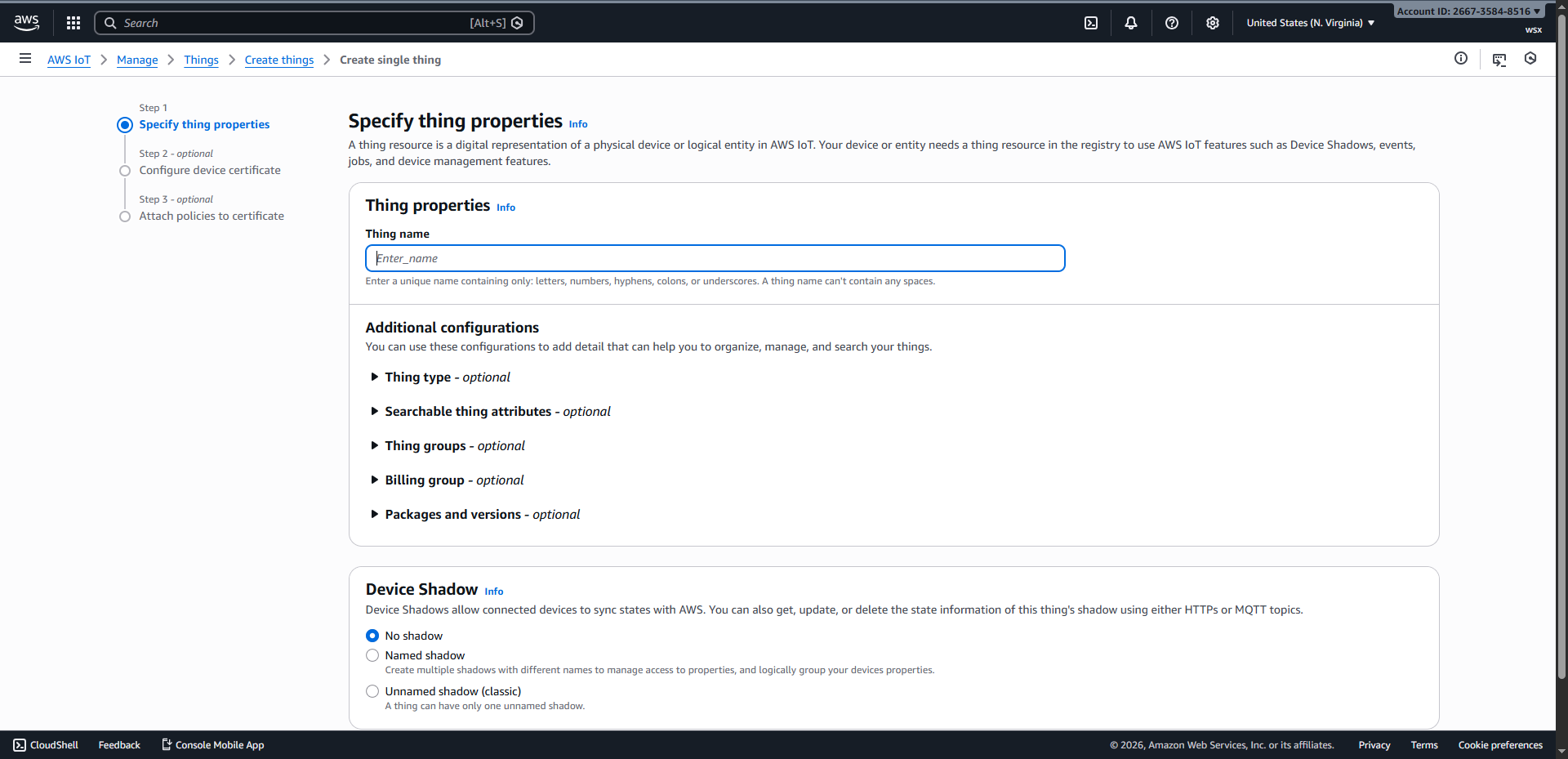
Tras introducir el nombre del dispositivo, haga clic en «Siguiente» para continuar con la configuración del certificado del dispositivo.
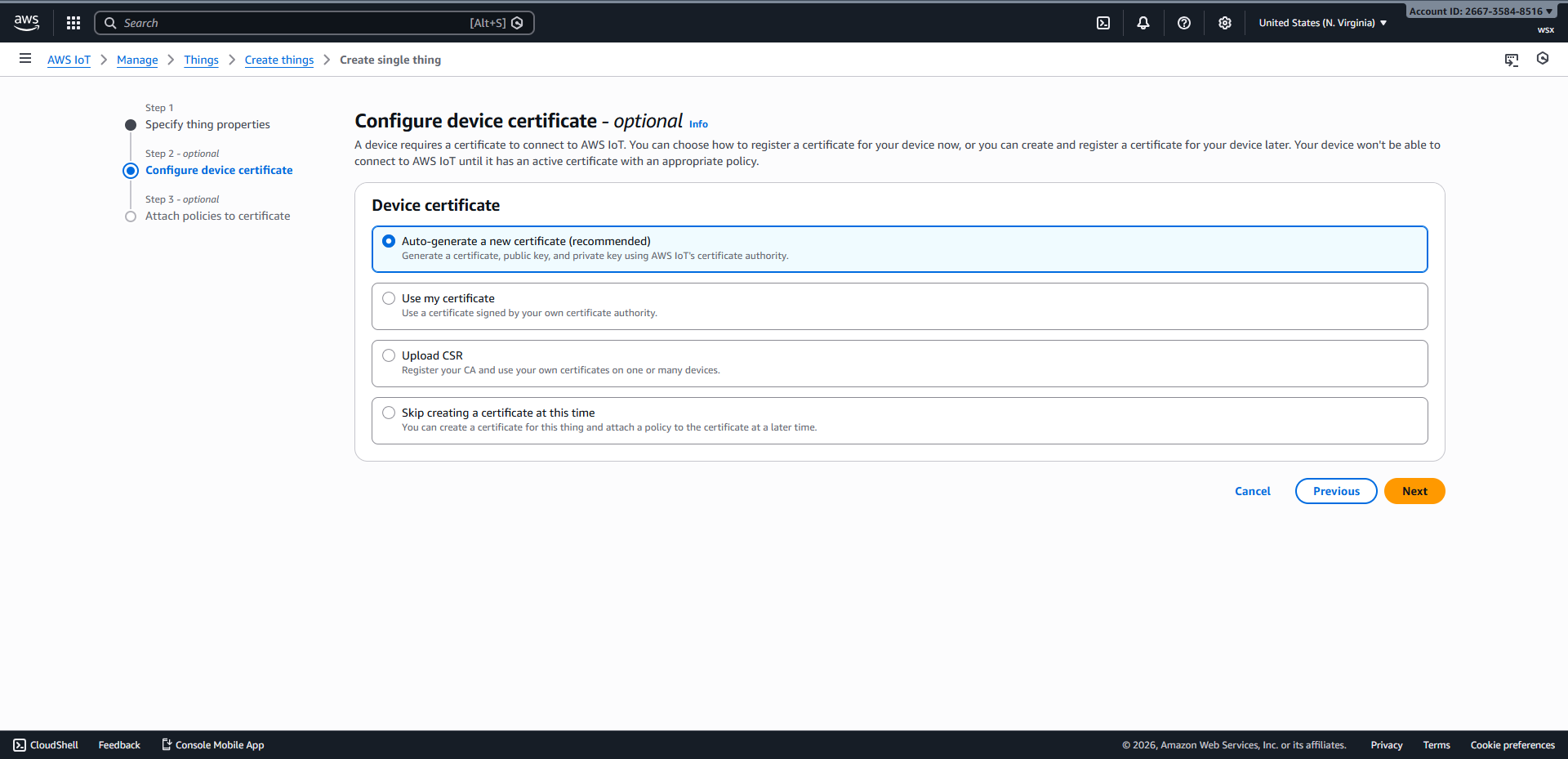
Haga clic en
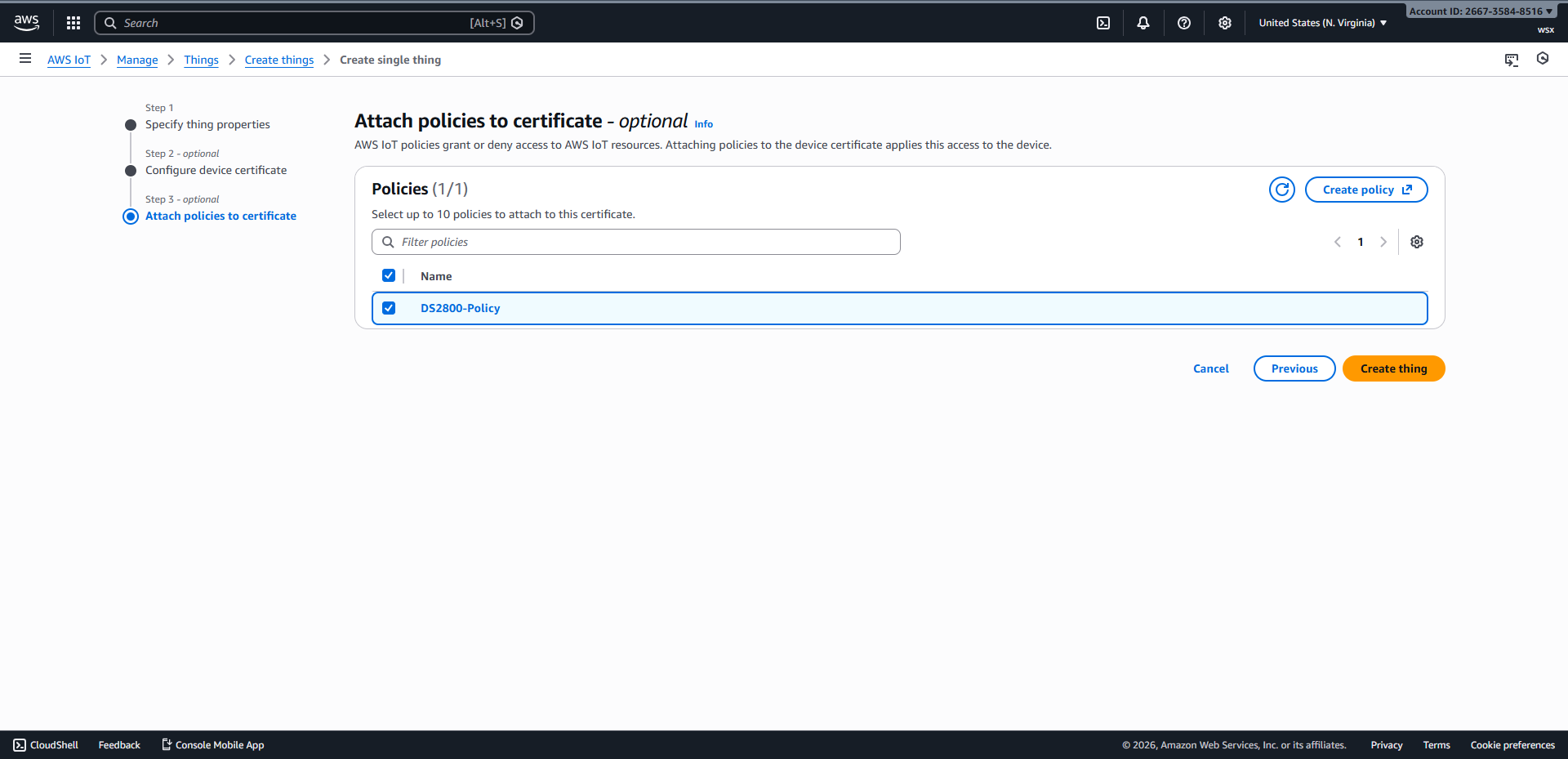
Siguientepara ir a Adjuntar políticas al certificado.
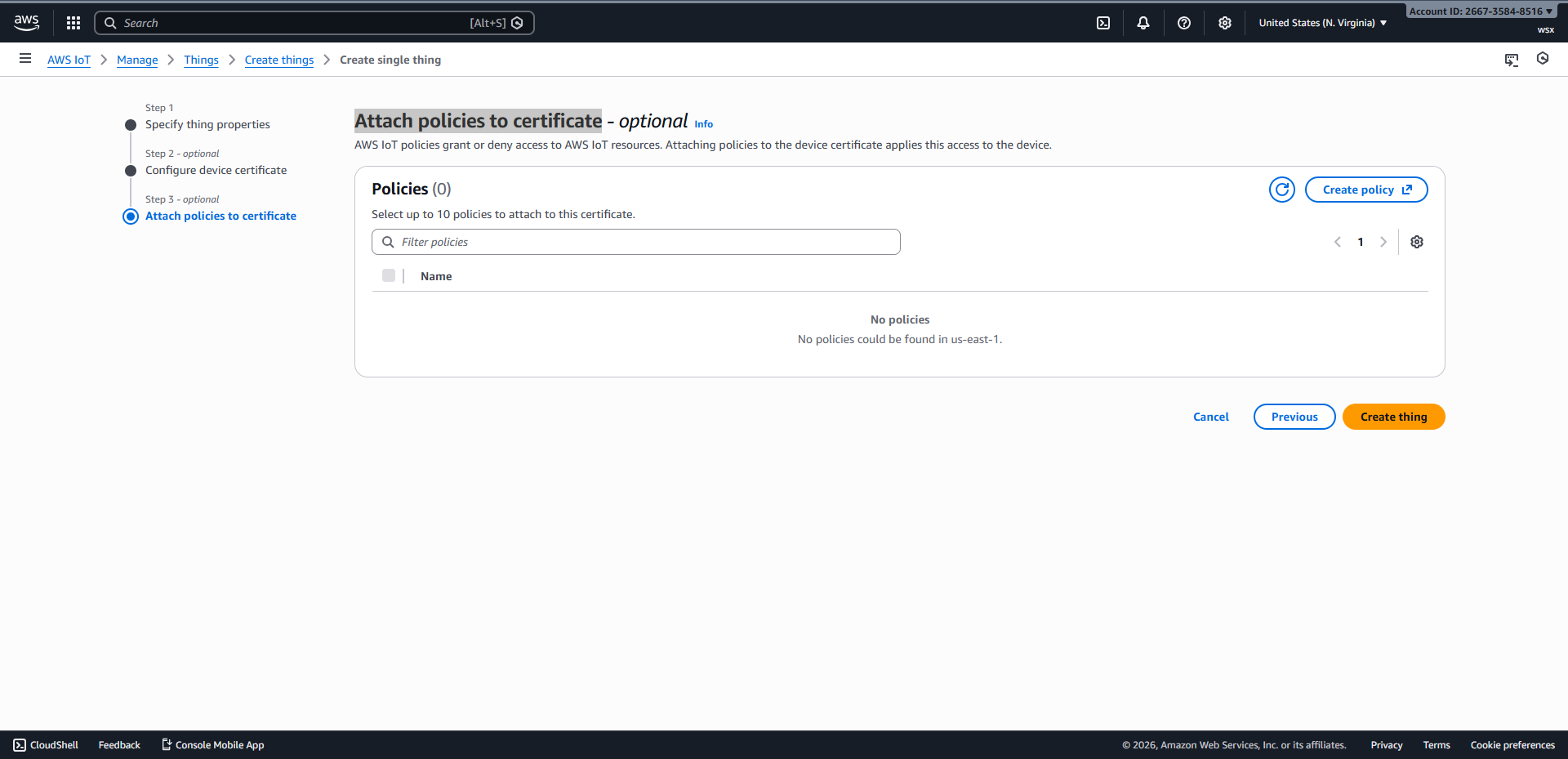
Haga clic en
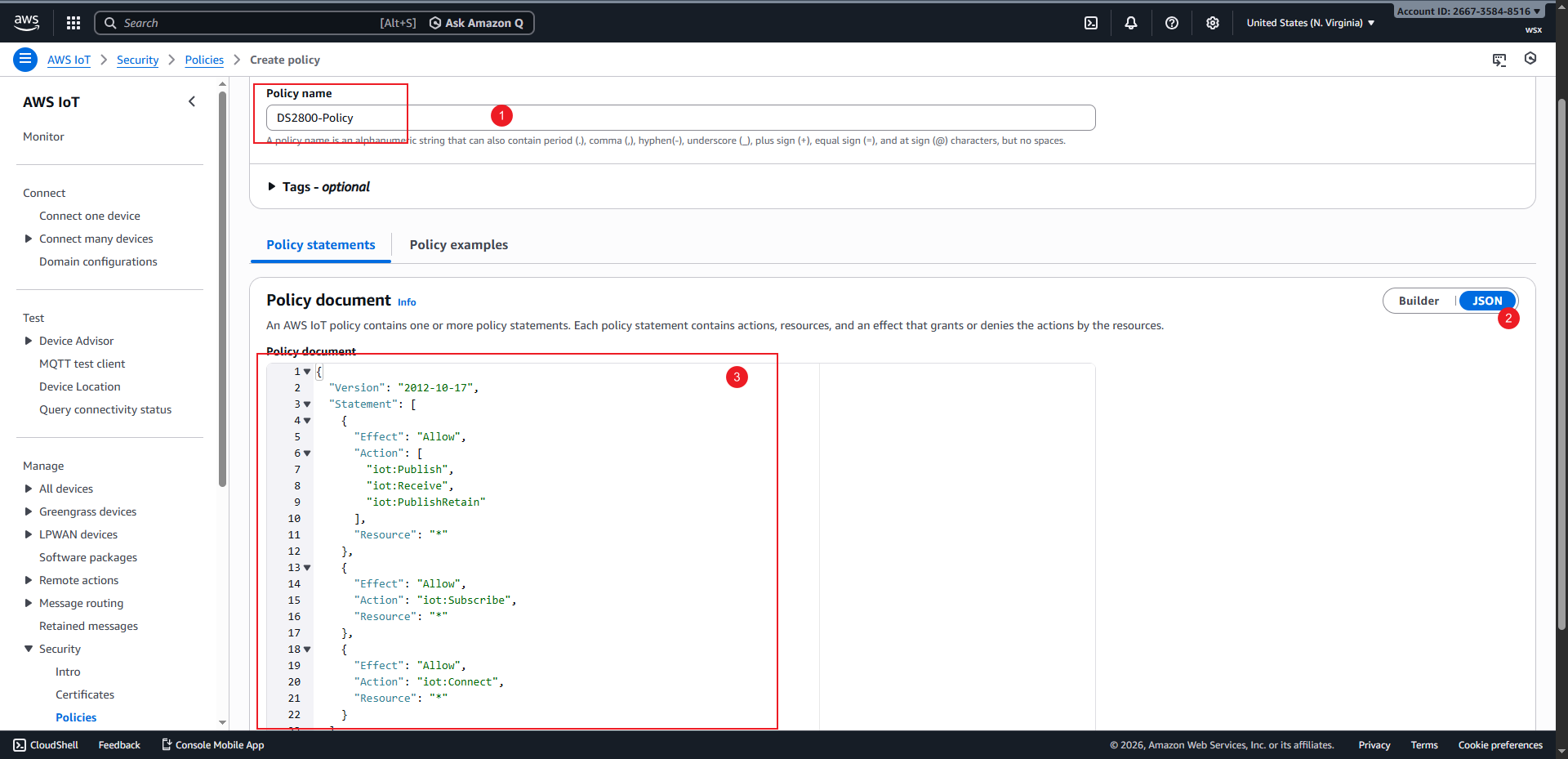
Crear políticapara acceder a la página de creación de políticas, introduzca un nombre para la política, copie el contenido que aparece a continuación en el cuadro de entrada JSON y haga clic enCrearpara completar la creación.
 1{
 2  "Version": "2012-10-17",
 3  "Statement": [
 4    {
 5      "Effect": "Allow",
 6      "Action": [
 7        "iot:Publish",
 8        "iot:Receive",
 9        "iot:PublishRetain"
10      ],
11      "Resource": "*"
12    },
13    {
14      "Effect": "Allow",
15      "Action": "iot:Subscribe",
16      "Resource": "*"
17    },
18    {
19      "Effect": "Allow",
20      "Action": "iot:Connect",
21      "Resource": "*"
22    }
23  ]
24}
Vuelva a la página
Adjuntar directivas al certificado, marque la casilla de la directiva que creó y haga clic enCrear elementospara completar el proceso de creación.
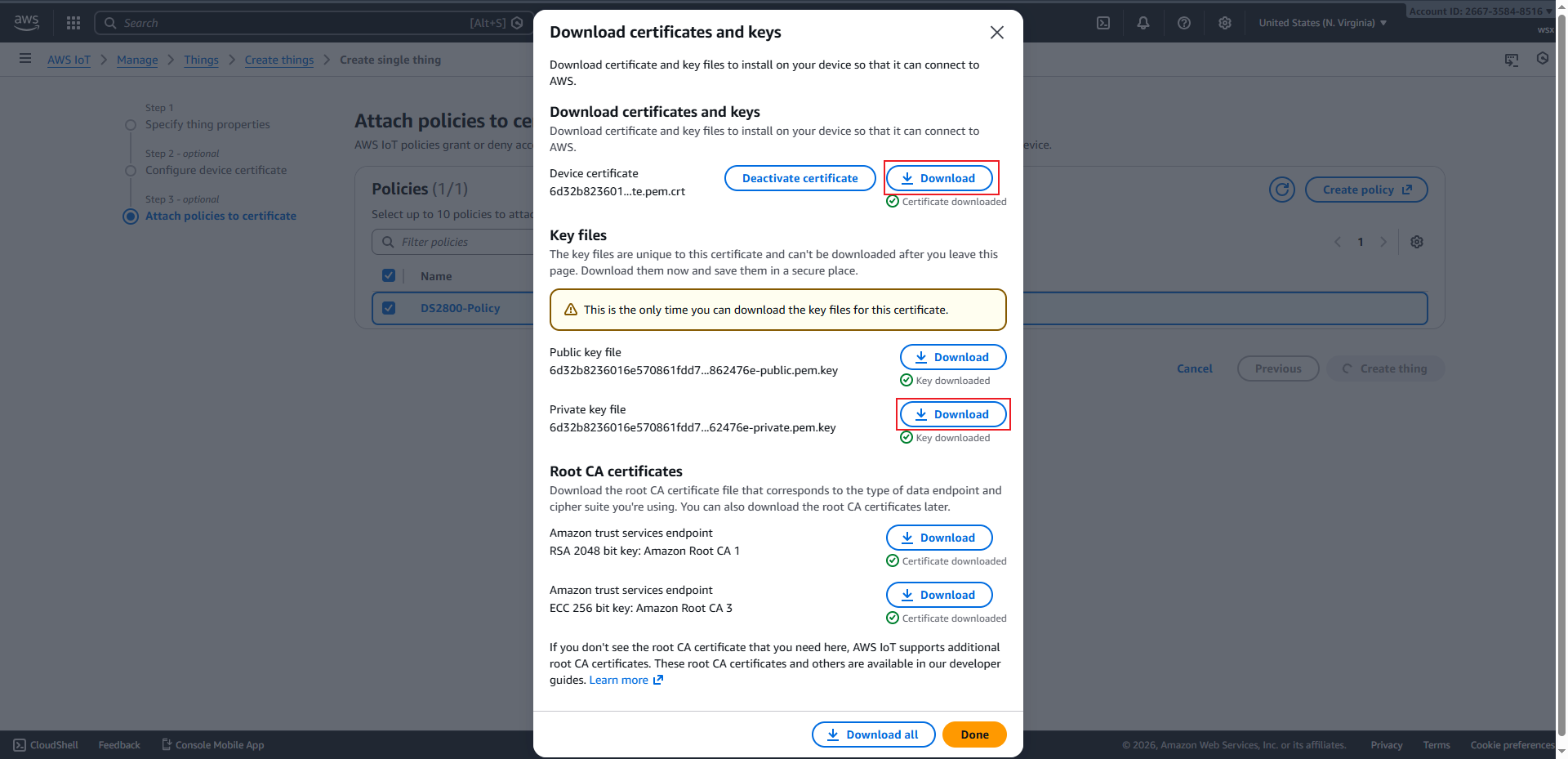
Primero, descarga el certificado y la clave privada, y luego haz clic en «Listo» para completar el proceso de creación de elementos.
Configurar escáner#
Establecer el modo MQTT#
Establezca el puerto MQTT en 8883.#

Establecer certificado de cliente#
Truco
Si el código QR es demasiado grande, le recomendamos tomar una captura de pantalla y enviarla a su teléfono. Luego, ajuste el brillo de la pantalla al máximo antes de escanearlo con un lector de códigos de barras.
Establecer clave privada#
Truco
Si el código QR es demasiado grande, le recomendamos tomar una captura de pantalla y enviarla a su teléfono. Luego, ajuste el brillo de la pantalla al máximo antes de escanearlo con un lector de códigos de barras.
Configurar WiFi y Broker#
Truco
Tras introducir la información de la red WiFi y la dirección del servicio, el escáner se conectará automáticamente a AWS IoT. Una vez establecida la conexión, el indicador verde del escáner permanecerá encendido.
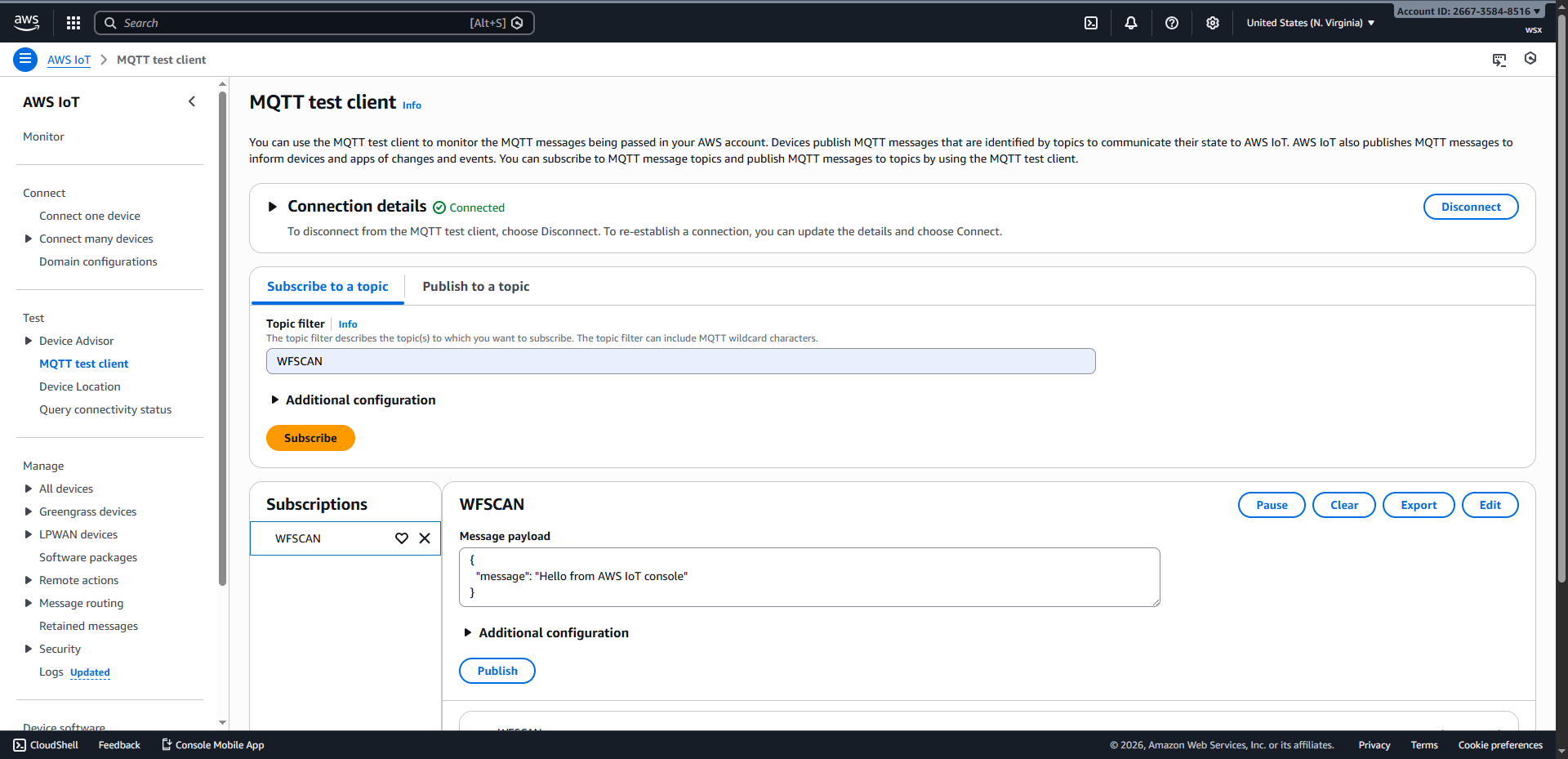
Cliente de prueba MQTT#
Haz clic en Cliente de prueba MQTT para acceder a la página.
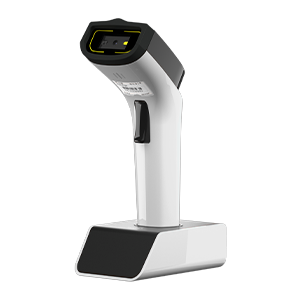
Tras introducir el tema al que desea suscribirse y hacer clic en «Suscribirse», utilice el escáner de código de barras para escanear el código de barras y recibir los datos del escáner.